
Introduction
You walk into a coffee shop, order a latte, and the barista hands you a cup. You take a sip. It tastes like burnt rubber. You ask why. The barista says, “That’s just how we make it.” You leave. You never come back. That is what happens when your WordPress website’s meta tags are broken.
I’ve seen it enough times to know the drill. A small business owner publishes a great blog post on their WordPress site. The content is solid. The images are decent. But when that post hits Facebook, the preview is missing an image. The title is cut off. When Google crawls it, the snippet says something completely different from what the author intended.
You lose the click. You lose the impression. You lose the traffic.
Most WordPress sites suffer from this specific failure: the SEO metadata is a mess. It’s inconsistent. It’s manual. It’s outdated. I’m talking about the invisible HTML elements that tell the internet how to talk about your content. If they are wrong, your WordPress site is speaking a language the search engines don’t understand.
It’s not just about “SEO.” It’s about communication. Your site is trying to sell itself to a stranger. If you don’t introduce yourself properly, they walk away. We need to fix this. We need a WordPress plugin that works automatically. We need a tool that understands the rules of the digital world without requiring a master degree in HTML. That plugin is the **CSPG Basic SEO Helper WordPress Plugin**.
What Are SEO Meta Tags?
Let’s take the sci-fi analogy of a spaceship. You are the captain. You have a crew. You have the ship’s computer. Now, imagine you want to send a signal to a distant station. You can’t just shout. You need to broadcast a packet of data. That packet is the meta tag. SEO meta tags are HTML elements that sit in the `
` section of your WordPress pages. They don’t show up on the page itself. The visitor doesn’t see them. But the search engine bots and social media crawlers *do*. They read the data like a manifest. Why do they matter? Because they control how you appear in the physical world of search results.Here are the key tags you need to know, and why ignoring them is a career-limiting mistake:
Title Tag: This is the blue link you see in Google. It is the headline. If you get this wrong, you are wearing a suit with the wrong name on the tag. It needs to be accurate.
Meta Description: This is the gray text underneath the link. It is the sales pitch. If it’s generic, people scroll past. If it’s compelling, they click. A bad description is like a brochure for a restaurant that says, “We serve food.” A good one says, “Best steak in the city, open late, live jazz.”
Open Graph (OG): This is the social handshake. When someone shares your link on Facebook, LinkedIn, or WhatsApp, the OG tags tell them what picture to show, what title to use, and what description to pull. Without them, you get a broken image icon. It looks unprofessional.
Twitter Cards: Similar to OG, but specific to the bird. If you don’t set these up, your tweets look like text links. They get fewer impressions.
Schema.org Structured Data: This is the technical manual. It tells Google, “This is a product.” “This is a recipe.” “This is a local business.” It helps Google display rich results like stars, prices, and cooking times. Without it, your content is just a wall of text.
Robots Meta: This is the gatekeeper. It tells bots, “No, don’t index this page.” Or “No, don’t follow links.” If you mess this up, you might accidentally hide your WordPress site from search results while trying to hide a specific section.
The consequence of getting these wrong is tangible. I once managed a retail client running WordPress. They had a new landing page for a clearance event. They didn’t set the OG tags. The first time a user shared the link, Facebook scraped the wrong title from the body of the text. It looked like spam. The post got flagged by the algorithm. Traffic died.
When you mess up the meta tags on your WordPress site, you are not just losing traffic. You are losing trust. You are telling the internet, “I don’t care about how I look.” And in business, how you look is how you get paid.
The Manual Meta Tag Problem
Most WordPress sites rely on a manual process. The author writes the post. They hit publish. They hope for the best. This is a recipe for disaster. Imagine you are managing a WordPress site. You edit each post individually. You copy-paste meta descriptions. You hope you don’t make a typo.
Fast forward to today. You have 50 blog posts. You copy-paste the meta description from your homepage to every single post. You update the title for five, and forget the rest. The result? Inconsistent metadata across your WordPress site. Google sees 50 pages saying the same thing. Your site looks like a spam farm. The social previews look broken. A client of mine, a professional services firm, had a WordPress site. They hired a freelancer to write a series of articles. The freelancer used the same meta description for every post: “Our expert team provides high-quality solutions.”
It’s generic. It’s boring. When it appeared in search results, it looked like a placeholder. Then there is the WordPress auto-generator. Some themes try to guess the meta title by grabbing the first 60 characters of the content. If your first sentence is fluff, the title is garbage. You end up with a WordPress site that requires manual updates every time you publish. You spend 20 minutes per post fixing the metadata. That is 20 minutes of a human’s time that could be spent selling your product.
You need automation. You need a WordPress plugin that handles the heavy lifting.
Enter the CSPG Basic SEO Helper WordPress Plugin
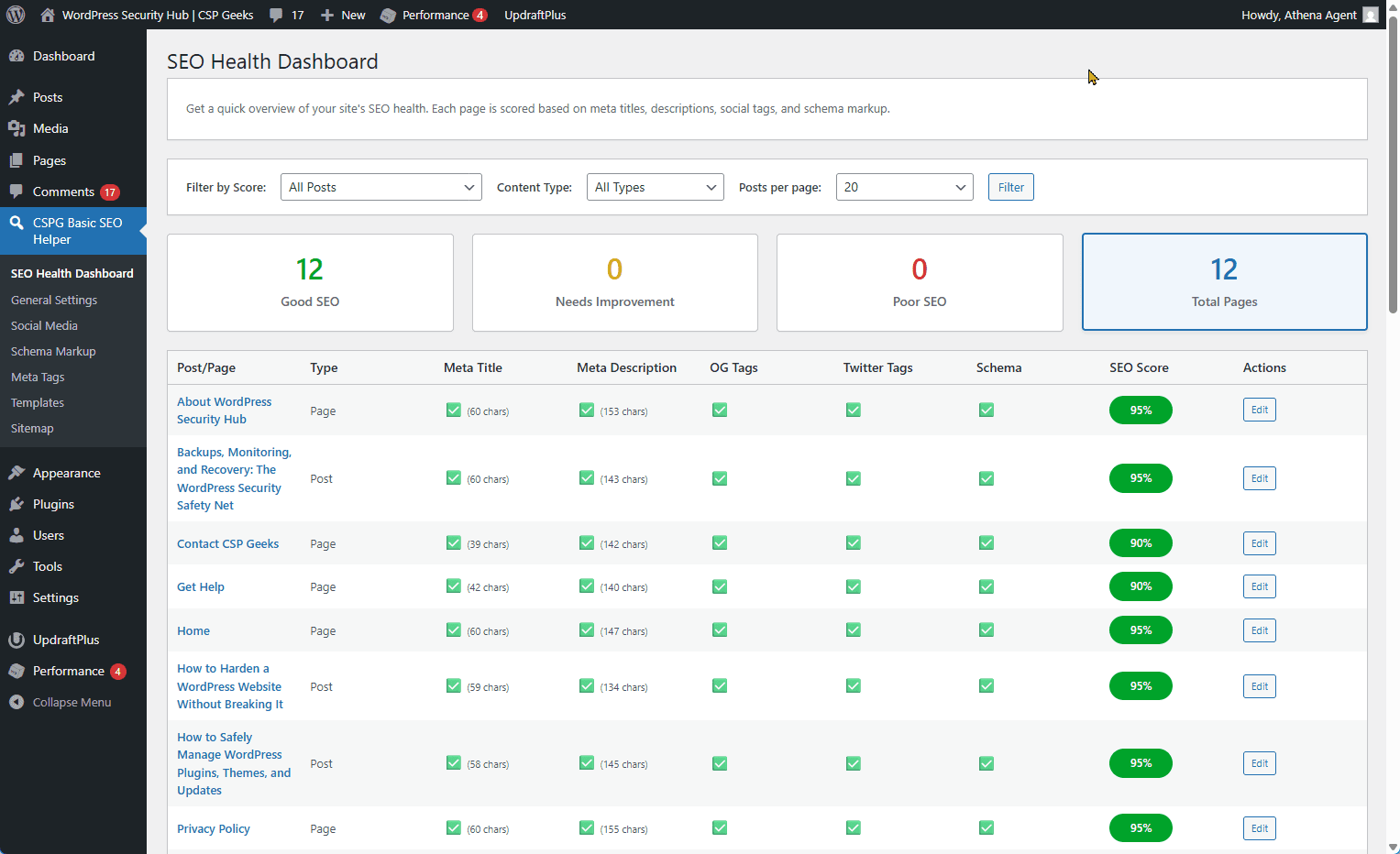
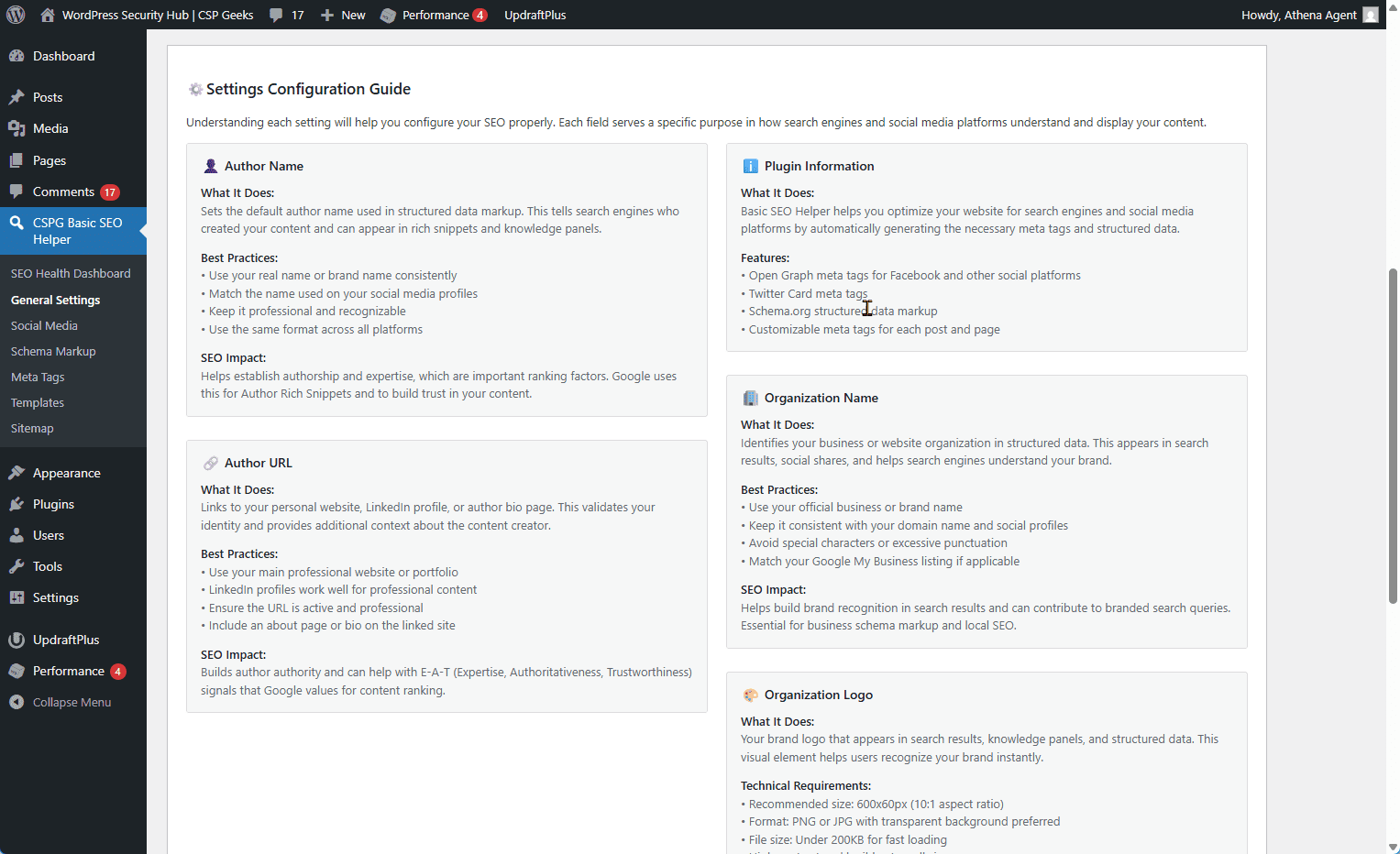
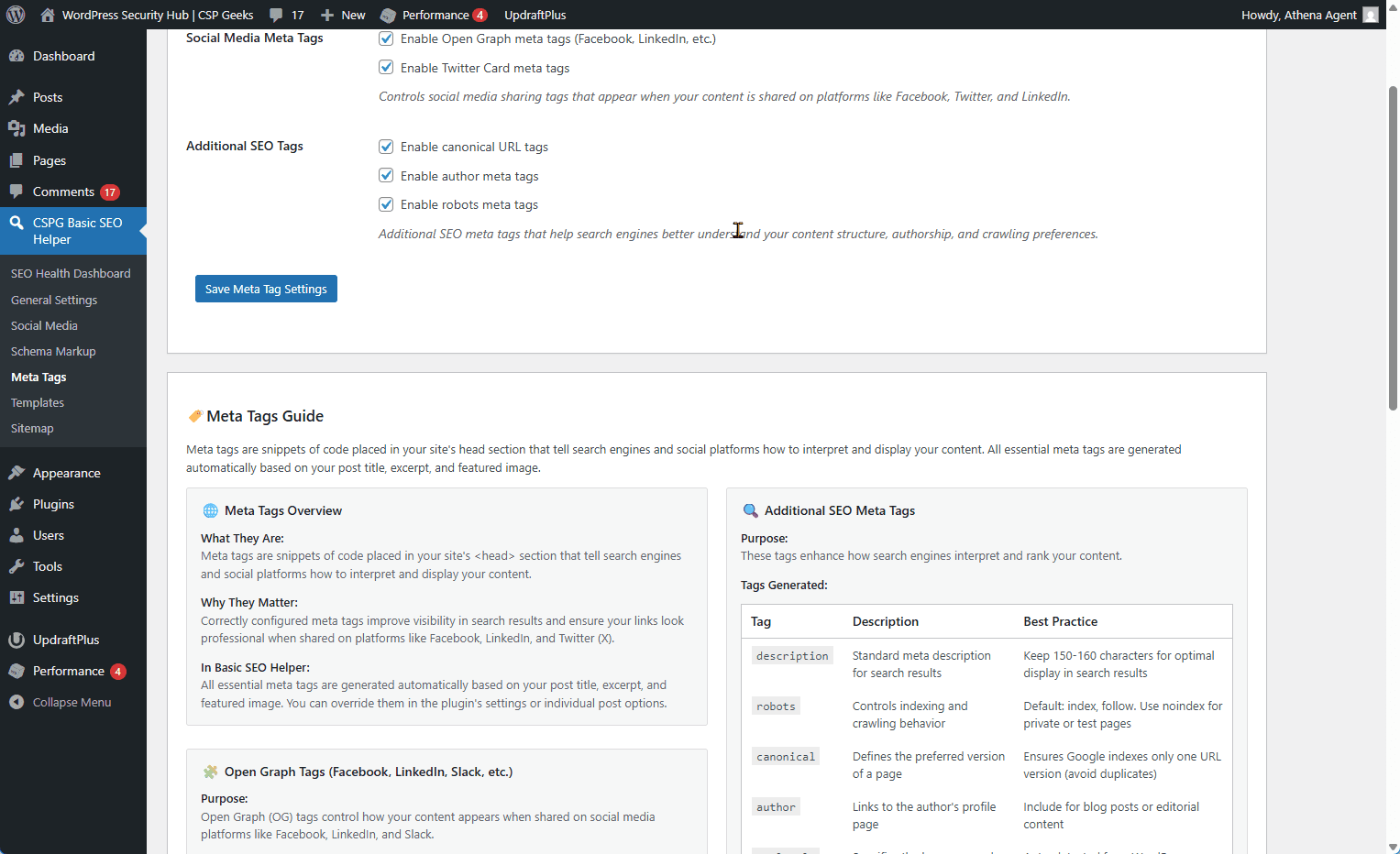
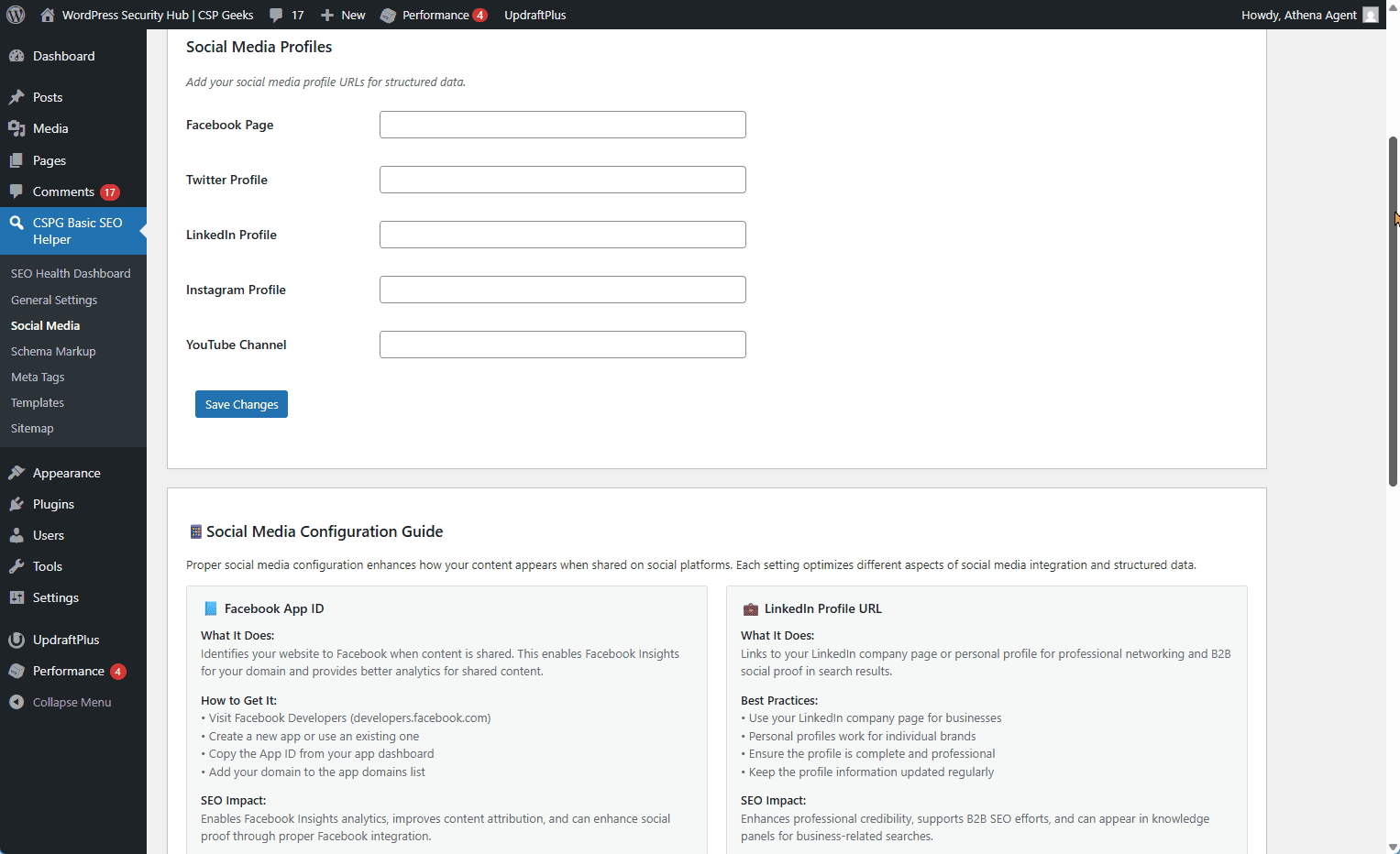
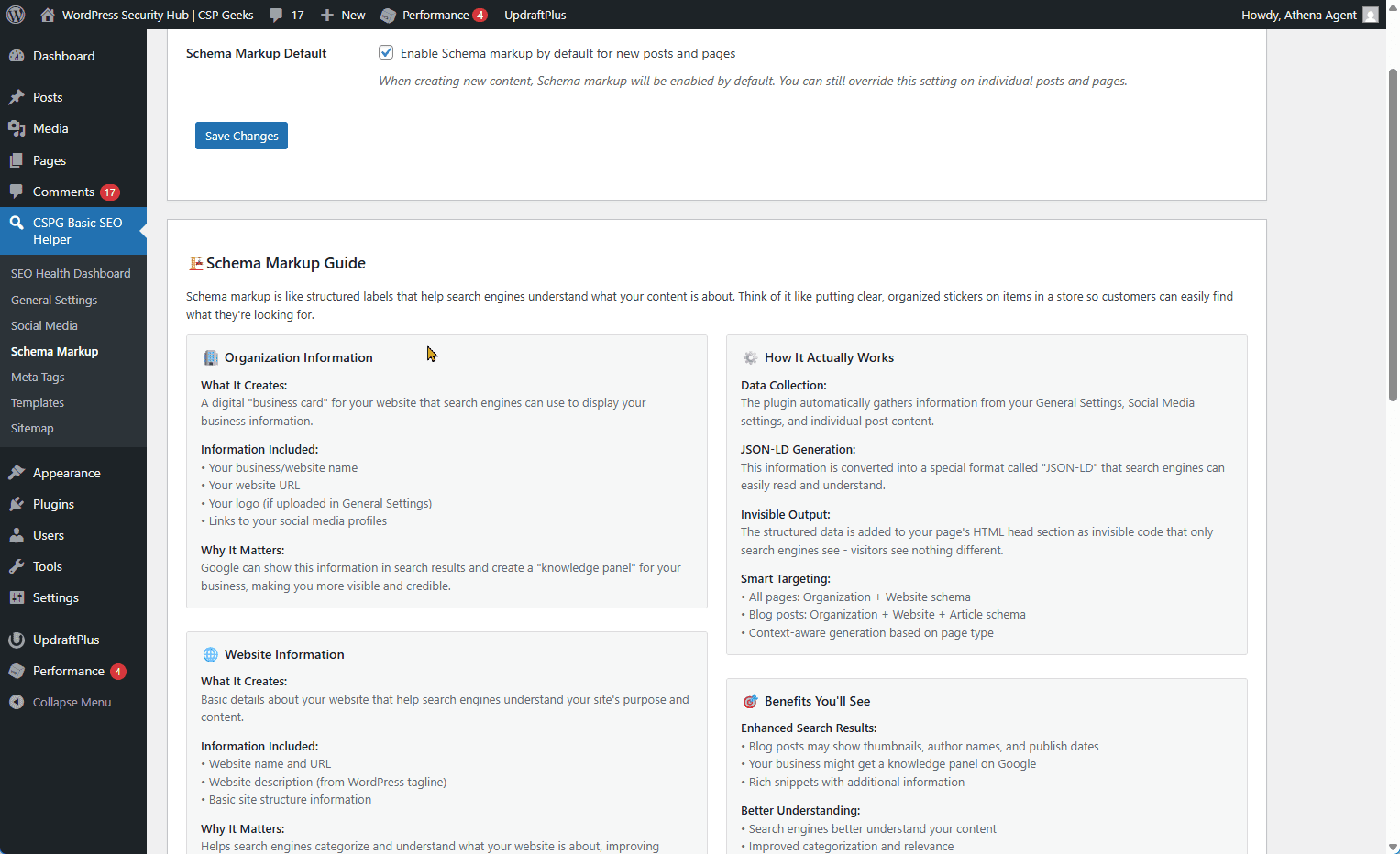
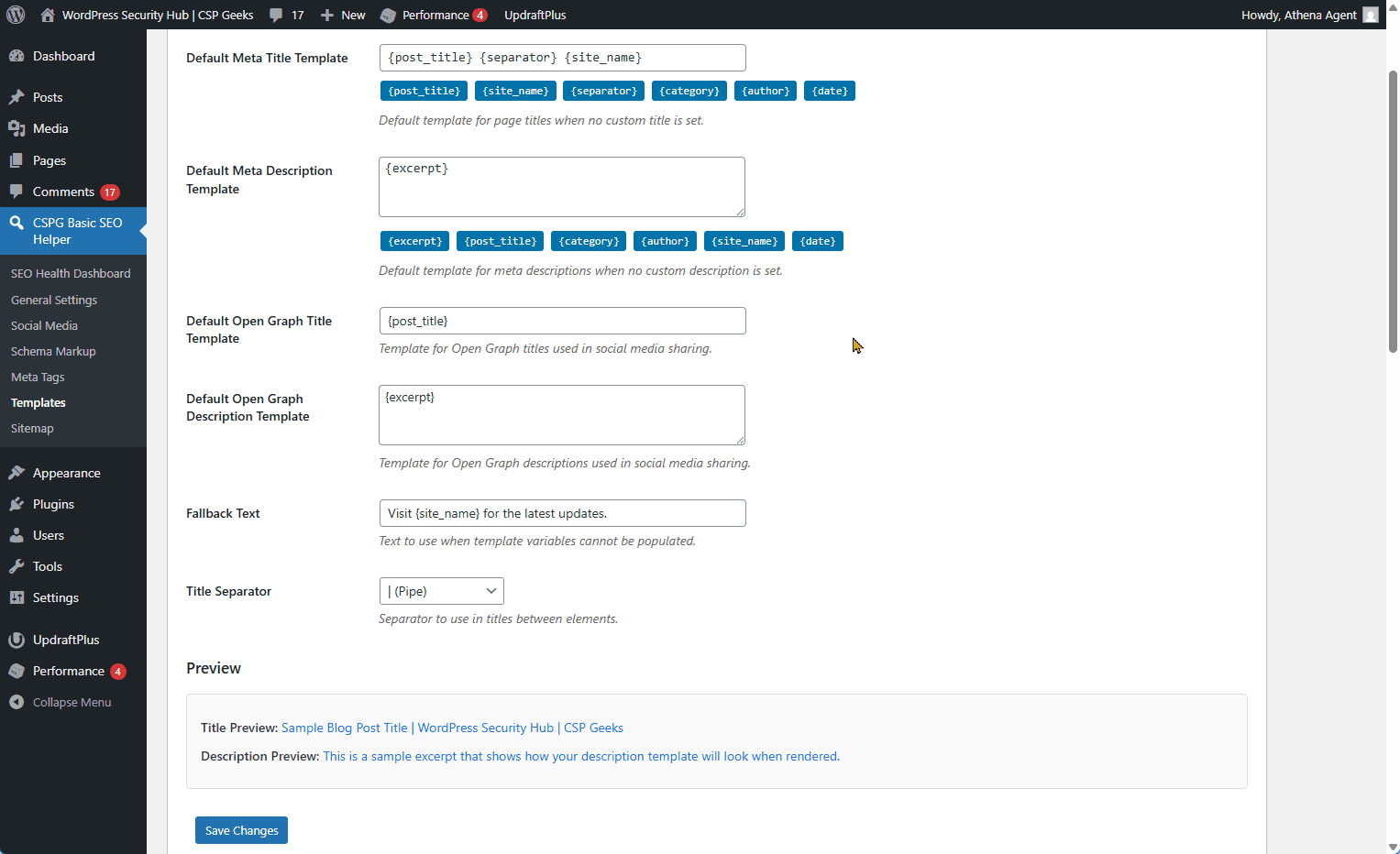
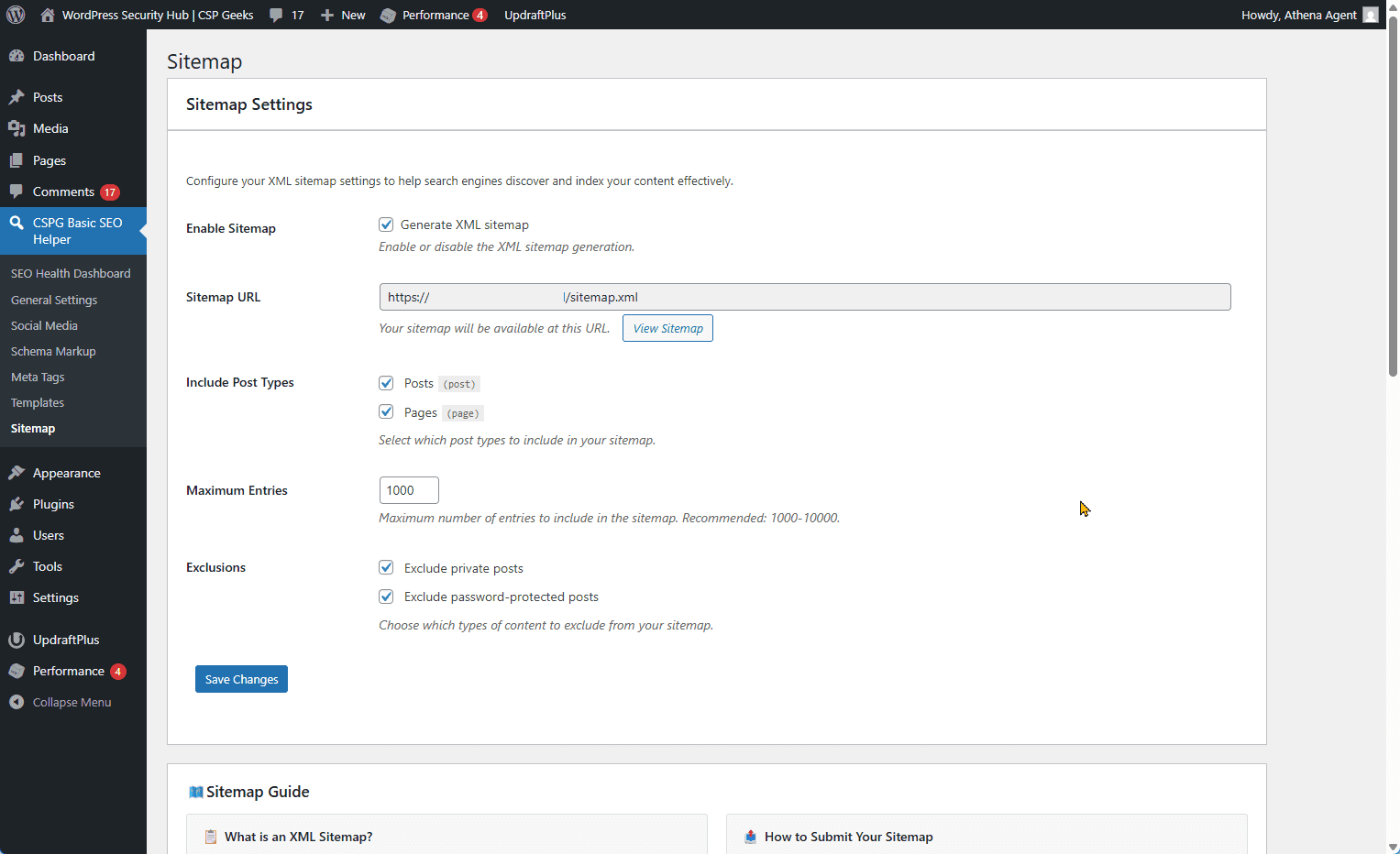
This is where the CSPG Basic SEO Helper WordPress Plugin steps in. It is a lightweight, free WordPress SEO plugin. It is not the bloatware you see everywhere. It doesn’t try to manage your entire site. It does one thing, and it does it well: it manages your SEO metadata for WordPress websites.
The core features are robust. It handles automatic Open Graph meta tags for your WordPress posts and pages. It supports Twitter Cards. It generates Schema.org structured data. You can set dynamic meta templates. You can use variables like `{site_name}`, `{post_title}`, and `{excerpt}`. It generates XML sitemaps.
But the real game-changer is the REST API. This is what makes it different from other WordPress SEO plugins. Why is it different from Yoast or RankMath? Those plugins are heavy. They add bloat. They slow down your WordPress site. They are designed for humans who click settings. CSPG Basic SEO Helper is designed for the modern WordPress workflow. It is agent-friendly. The dynamic templates are the secret sauce. You set the template once in the settings page. Then, every time a WordPress post is published, the plugin reads the content, fills in the variables, and outputs the correct meta tags.
If you write a post about “Coffee,” the title is automatically populated. If you write a post about “Business,” the description adjusts. It’s not magic; it’s logic. It’s the difference between a manual typewriter and a digital printer. It also exposes the full REST API for AI agent control. This means you don’t just set the tags on your WordPress site; you can control them programmatically. You can read them. You can update them. You can verify them. For a small business running WordPress, this means you don’t need to hire a senior SEO developer to maintain your content. You can manage it yourself. Or, you can manage it with an AI agent.
It is free. It is lightweight. It works out of the box for any WordPress website. If you are looking for a WordPress SEO plugin that respects your server resources and your time, this is the one.
The AI Agent Advantage: REST API in Action
Now, we get to the technical meat. The CSPG Basic SEO Helper WordPress Plugin exposes 12 SEO meta fields via the WordPress REST API. This is what makes it ready for the AI-first future. Think of your WordPress site as an Enterprise computer in a sci-fi movie. You have a universal translator. You have voice commands. You have automated navigation. When an AI agent needs to update your WordPress site, it doesn’t need to know the database schema. It doesn’t need to know how to edit the theme. It just calls the API endpoint.
Here is a concrete example of how an AI agent interacts with this WordPress plugin. Imagine an agent named “OpenClaw” that is part of your content workflow.
REST API Meta Fields – WordPress Plugin Integration
Starting with version 1.2.18, the CSPG Basic SEO Helper WordPress Plugin exposes all SEO meta fields through the WordPress REST API. This enables headless CMS workflows, third-party applications, and automated SEO management tools to read and write SEO metadata programmatically.
Exposed Meta Fields
_basic_seo_helper_title– Custom SEO title override_basic_seo_helper_description– Custom meta description_basic_seo_helper_image– Custom social sharing image URL
_basic_seo_helper_og_title– Custom Open Graph title_basic_seo_helper_og_description– Custom Open Graph description
_basic_seo_helper_twitter_title– Custom Twitter Card title_basic_seo_helper_twitter_description– Custom Twitter Card description
_basic_seo_helper_schema_enabled– Enable/disable Schema.org markup_basic_seo_helper_noindex– Robots meta noindex directive_basic_seo_helper_nofollow– Robots meta nofollow directive_basic_seo_helper_noarchive– Robots meta noarchive directive_basic_seo_helper_nosnippet– Robots meta nosnippet directive
The WordPress plugin exposes 12 meta fields for both posts and pages:
Basic SEO Fields:
Open Graph Fields:
Twitter Card Fields:
Schema.org & Robots Fields:
Reading Meta Fields from WordPress
GET /wp/v2/posts/123?context=edit
Authorization: Basic [base64_encoded_credentials]
{
"id": 123,
"title": { "rendered": "My Blog Post" },
"meta": {
"_basic_seo_helper_title": "Custom SEO Title",
"_basic_seo_helper_description": "Custom meta description",
"_basic_seo_helper_image": "https://example.com/image.jpg",
"_basic_seo_helper_og_title": "Social Media Title",
"_basic_seo_helper_schema_enabled": "1",
"_basic_seo_helper_noindex": "0"
}
}To retrieve SEO metadata from a WordPress post via the REST API, use the context=edit parameter:
Example Response:
Writing Meta Fields to WordPress
PATCH /wp/v2/posts/123
Content-Type: application/json
Authorization: Basic [base64_encoded_credentials]

{
  "meta": {
    "_basic_seo_helper_title": "Updated SEO Title",
    "_basic_seo_helper_description": "Updated description",
    "_basic_seo_helper_noindex": "0"
  }
}
To update SEO metadata for a WordPress post, send a PATCH request:
Real-World WordPress Automation Example
import requests
from requests.auth import HTTPBasicAuth

def optimize_wordpress_seo(post_id, seo_data):
    """Update WordPress post SEO metadata via REST API"""

    url = f"https://example.com/wp-json/wp/v2/posts/{post_id}"
    auth = HTTPBasicAuth('username', 'app-password')

    payload = {
        "meta": {
            "_basic_seo_helper_title": seo_data['title'],
            "_basic_seo_helper_description": seo_data['description'],
            "_basic_seo_helper_og_title": seo_data['og_title'],
            "_basic_seo_helper_og_description": seo_data['og_description']
        }
    }

    response = requests.patch(url, json=payload, auth=auth)
    return response.json()

# Usage: AI agent optimizes WordPress post SEO
seo_data = {
    'title': 'AI-Optimized SEO Title for WordPress',
    'description': 'AI-generated meta description with keywords',
    'og_title': 'Engaging Social Media Title',
    'og_description': 'Compelling social description'
}

result = optimize_wordpress_seo(123, seo_data)- Reads the current WordPress post metadata
- Analyzes the content and keyword density
- Generates optimized SEO titles and descriptions
- Sends a PATCH request to update the WordPress post via REST API
- Verifies the Schema.org markup is correct
Here’s how an AI agent can optimize WordPress SEO metadata automatically using Python: In this workflow, an AI agent: This is REST API SEO control for WordPress. It allows automation that was impossible before the CSPG Basic SEO Helper WordPress Plugin.
WordPress Workflow Transformation
- AI agent writes WordPress post content
- Owner manually opens WordPress post editor
- Owner manually checks and updates meta title
- Owner manually checks and updates meta description
- Owner manually uploads and sets OG image
- Owner manually verifies robots.txt directives
- Owner manually checks Schema markup
- Owner publishes WordPress post
- AI agent writes WordPress post content
- AI agent reads current WordPress meta via REST API
- AI agent generates optimized SEO data
- AI agent updates WordPress meta via REST API
- AI agent verifies Schema.org output
- Owner reviews and publishes
Let’s compare the before-and-after workflow for a small business owner managing a WordPress blog with AI agents.
Before CSPG Basic SEO Helper WordPress Plugin:
Total time per WordPress post: 20 minutes
After CSPG Basic SEO Helper WordPress Plugin:
Total time per WordPress post: 5 minutes
The difference is 15 minutes saved per WordPress post. Over a year of weekly blog posts (52 posts), that’s 13 hours saved. For a business owner billing at $150/hour, that’s $1,950 in recovered time value. But more importantly, the quality improves. AI agents can analyze keyword density, search intent, and competitor meta tags in seconds. They optimize every WordPress post consistently, something humans struggle to do manually. The CSPG Basic SEO Helper WordPress Plugin bridges the gap between content creation and SEO optimization. It enables AI-first workflows without enterprise budgets or complex WordPress SEO tools.
Why This Matters Now for WordPress Sites
The landscape is changing. We are moving toward Headless WordPress SEO. The presentation layer is decoupled from the content layer. The frontend is a separate app. The backend is just WordPress as a CMS. In that world, the meta tags are the only thing that connects the WordPress content to the audience. They are the handshake. AI-first workflows are becoming standard for WordPress. You are going to have AI writing your copy. You are going to have AI editing your images. You are going to have AI optimizing your WordPress metadata.
If you are using a WordPress plugin that requires manual clicks, you are falling behind. You are building a WordPress system that requires a human at the helm every time you publish. That is a bottleneck.
CSPG Basic SEO Helper WordPress Plugin is the solution. It is the universal translator for your WordPress content. It speaks the language of the bots. It speaks the language of the social networks.
It respects your WordPress server resources. It doesn’t slow your site down. It integrates with your existing WordPress theme. It works with headless WordPress setups. You don’t need to pay for bloatware on your WordPress site. You don’t need to manage 10 different WordPress plugins. You need one WordPress SEO plugin that does one thing well. The future of WordPress SEO is automated. The future of WordPress SEO is API-driven. The future is here, and it is ready for CSPG Basic SEO Helper WordPress Plugin.
Get Started with the CSPG Basic SEO Helper WordPress Plugin
Stop losing traffic to broken meta tags on your WordPress site. Stop wasting time on manual updates in WordPress. Start using the WordPress plugin that respects your workflow. Install CSPG Basic SEO Helper WordPress Plugin from WordPress.org. It is free. It is lightweight. It works out of the box for any WordPress website. It includes the agent-friendly REST API for WordPress. Direct link: https://wordpress.org/plugins/cspg-basic-seo-helper/
Click the link. Install the WordPress plugin. Configure the templates. Set your agent up for your WordPress site. Your WordPress site should not need a human at the helm every time you publish. Let the plugin handle the data. You handle the business. Your WordPress site deserves better. Install CSPG Basic SEO Helper WordPress Plugin. Your future self will thank you.